My Favorite Tools
Did you know that GitHub lets you organize your starred repos into lists? I have one called Favorites, where over the years I’ve collected the tools that make the biggest daily impact on my productivity.
A disclaimer: this list was curated by a completely objective selection process (my taste), and by pure coincidence, five of the sixteen entries were written or maintained by myself. Please do not let this shake your faith in the process.
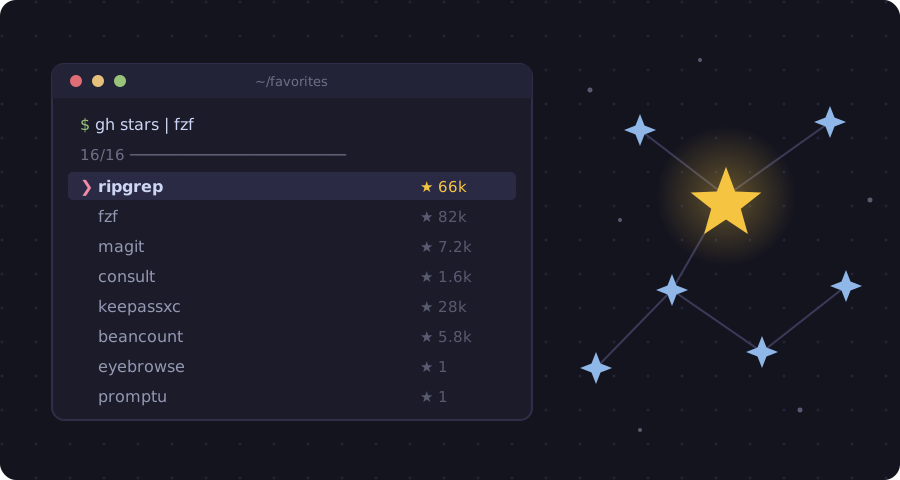 My Favorites list, piped through fzf.
Shell & Terminal
ripgrep
Let’s start with one you already know. ripgrep searches your code at speeds
that make regular grep lodge a complaint with HR. On my machine it can search
through a repo of millions of lines almost instantly. It’s so insanely useful
that rg is one of the first things I install on any machine.
fzf
fzf is a command-line fuzzy finder. At 81,000 stars, it needs introduction
even less than ripgrep did. Pipe anything into it, like files, history, and
processes, and pluck out what you want with just a few keystrokes. CTRL-R
history search alone justifies the install: type a few letters of a command you
ran last month and it’s back, like it never left.
fzf is also a critical component of my own shell-navigation tool compnav (see
below).
EternalTerminal
EternalTerminal is a remote shell designed to stay alive at all costs, like a Hollywood vampire. If you’ve ever had an SSH session die because your laptop dared to go to sleep, or because you’re a world explorer like me and lost hotspot coverage, you know the pain. ET sessions simply survive. You close your laptop in one cafe and open it in another, and your session is still there, as indestructible as Zuckerburg’s doomsday bunker.
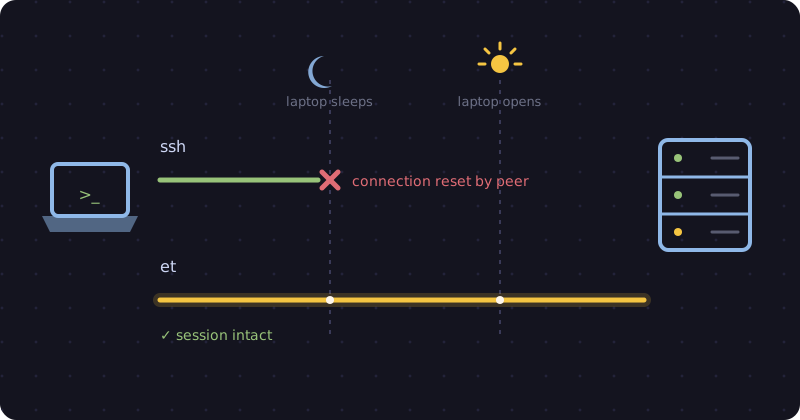 ssh vs et: a survival story.
compnav
Here’s the first entry from our aforementioned objective selection process.
compnav is my own take on complete shell navigation: a better up, a better
z, and an h for jumping to repos. All these tools feed into fzf for fuzzy
selection and share the same recency list.
I wrote it because existing tools were a bunch of buggy bash gobbledygook that I didn’t know how to edit, and “frecency” offended me on a technical and linguistic level. There are no made-up words here, only predictable and intuitive navigation. Now I flit between directories with the effortless grace of a Sasquatch. Is it the best shell navigation tool ever made? I’ll let you be the judge, and the answer is yes.
 compnav in action.
Emacs
You knew this section was coming. Longtime readers know that I am an Emacs Gentleman (who should probably get outside more).
magit
magit is a Git porcelain inside Emacs. I don’t know what that means, but everyone loves this package. It’s one of the first packages I installed when I started using Emacs, which means I’ve been using it for almost a decade. It’s an interface to git that is easy and joyful to use.
Staging individual hunks, rewording commits, interactive rebasing – everything is a couple of keystrokes away, discoverable through menus that teach you as you go. People have been known to use Emacs just for magit. The maintainer has worked tirelessly for years and deserves your donations!
consult & co.
consult provides search and navigation commands on top of Emacs’ built-in
completing-read. This means fuzzy-jumping to buffers, headings, recent files,
and, crucially, live-grepping entire projects with consult-ripgrep. It also
integrates seamlessly with the related suite of tools such as vertico and
orderless, which are all implied here as well.
The author is a vanguard1 of the Emacs open-source community, maintaining dozens of packages that work beautifully and cohesively with each other. It’s a vision that extends the original core value of Emacs: powerful and elegant editing abstractions that are widely generalizable and composable. That’s all a fancy way of saying that vim sucks.
my-repo-pins
my-repo-pins is a small and simple project manager for Emacs. Type the name of a repo, and it jumps to your local checkout. Or paste a link and it clones the repo for you and sorts it by author on the filesystem. It’s one of those tools that removes a piece of friction so small you didn’t know it was there, and then you can never go back. A hidden gem with 26 stars: you saw it here first.
eyebrowse
eyebrowse is another simple tool that just does what you need. It’s a no-fuss window configuration manager for Emacs: numbered workspaces you can flip through with a keystroke, so your “code” layout and your “org” layout no longer fight over the same frame. I included a link to my splendid fork of the classic package, where I occasionally make useful additions which respect the original simplicity.
org-recur
The objective selection process strikes again. org-recur is my own simple
task-management solution that adds dead-easy recurring tasks to org-mode.
Finish a task and it reschedules itself, with a compact syntax like |+2| for
“every two days”. I built it years ago for my own org-mode life
management. You can probably tell by now
that I love un-complicated solutions!
 org-recur tasks in me agenda.
promptu
promptu lets you quickly compose LLM prompts from reusable building blocks. It solved a real need for me, and I ended up finding it really fun to use! It is also a member of one of the most exclusive clubs on GitHub: repositories with exactly one star. (The star is mine. The club’s only other member is my eyebrowse fork above. They meet on Thursdays.)
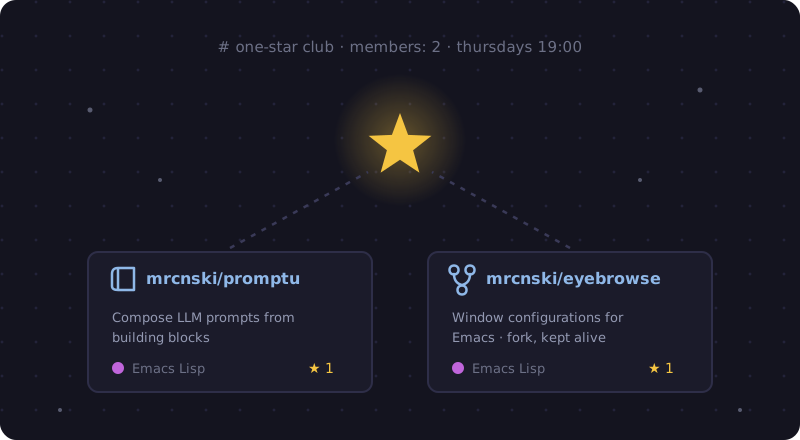 The One-Star Club.
nimbus-theme
Ahh, le nimbus-theme, my dark Emacs theme with retro aesthetics and a focus on readability. It is my personal ode to the beauty of computers. I have stared at this theme for more hours than I have stared at any human face. That is either a glowing endorsement or a cry for help, but either way, the colors are great.

Catppuccin
Sometimes, though, an Emacs Gentleman must work in direct sunlight, and for that I keep Catppuccin around – specifically its light theme, called Latte. Let me tell you, it is adorable. Everything about it is so unreasonably cute and soothing that switching themes feels like petting a kitten. Nimbus remains my one true dark theme, but when the sun comes out, so does the petting.
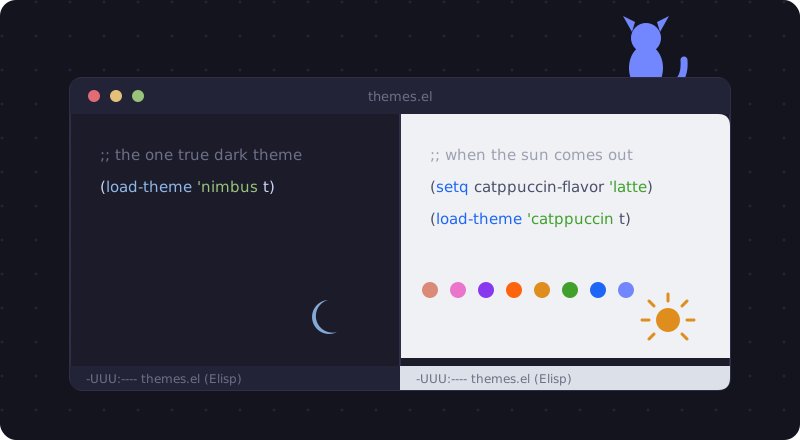 M-x load-theme, for when the sun comes out.
Everything Else
KeePassXC
Longtime readers met KeePassXC back in my Must-Have OSX Apps post, and here it is again. It remains one of the first programs I install on any new computer. It’s a cross-platform password manager: local database, no subscription, actively developed, TouchID integration on the Mac, and integrations for smart phones!
Its usefulness extends beyond just keeping passwords. It also lets me keep notes on websites, such as the answers to security questions. I track which sites use my phone number, my various emails, etc., and can easily get the lists. KeePassXC can even act as a one-time password generator for those annoying 2FA prompts. Security is cool!
Beancount
Speaking of cool, did you know that double-entry bookkeeping is actually so much fun? Beancount provides just that, from plain text files. You write your transactions in a simple text format, and it validates every account balance. You can then answer questions about your own money with a snazzy web viewer.
It felt so empowering to gain control of my finances, down to the last cent. It’s bookkeeping as code: version-controlled, greppable (ripgrep!), editable in Emacs. This is either the most reasonable or the most programmer-brained way to track your finances, and I have decided those are the same thing.
alfred-bear
You may recall my recent review of the Bear app, in which I bearly contained my enthusiasm. alfred-bear completes the picture: an open-source (unlike Bear) workflow for Alfred that lets you search Bear notes in just a couple of keystrokes. I never lose a note file with this tool, and it’s so fast! It’s nothing crazy, but it’s indispensible to my workflow.
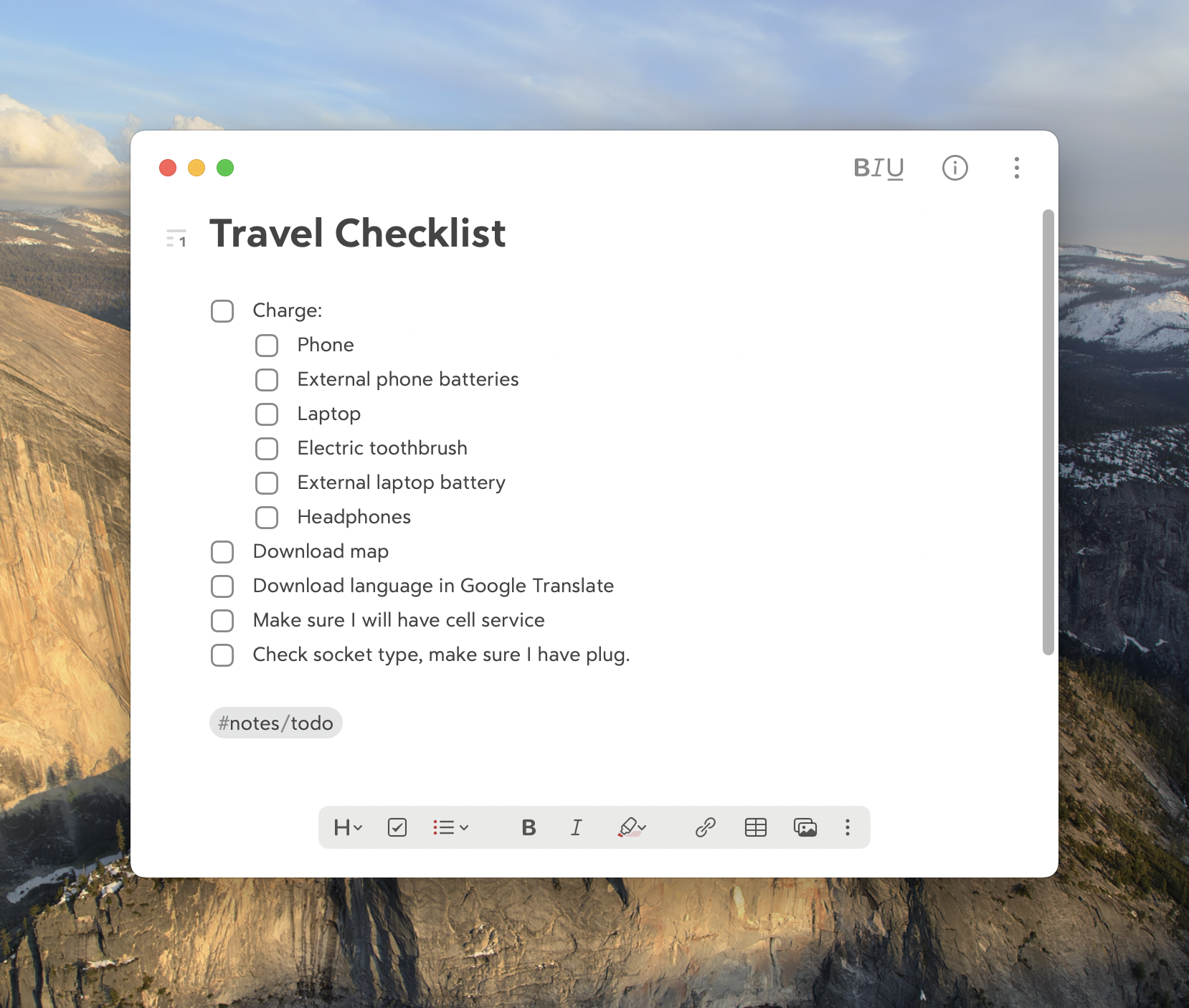 The Bear app.
Aporetic
Finally, every letter I read in Emacs comes from prot’s Aporetic, a custom build of the Iosevka font, tuned for comfiness. Like your theme, you’ll be looking at your programming font for hundreds of hours a day, so it’s worth choosing intentionally. This one earns the coveted Signor Dev Font of the Decade Award, the highest honor in random font awards.
Conclusion
I hope you enjoyed this list. With sixteen tools and only five of them written by me, that’s a ratio that proves my objectivity.
One theme I noticed is small but powerful tools that stay out of the way. That fits in with my philosophy of becoming more efficient so I can work faster, be on the computer less, and live life more.
Oh, and why not consider making your own Favorites list? Just remember whose blog taught you about it, and report back to Uncle Signor with your findings.
Footnotes
-
Note: I may not know what “vanguard” means. ↩